A kit for Claude Code, by Omar (@omarontape)

Reel Machine

Claudemakesyourreels,onyourowncomputer.

Unzip the kit, paste one prompt, and Claude sets itself up to find ideas, write scripts, edit your videos and get every post ready.

Get Reel Machine, $67

$67 until December 6, 2026, then $97. One payment. No subscription. Check what you need first

Paper
Half-screen
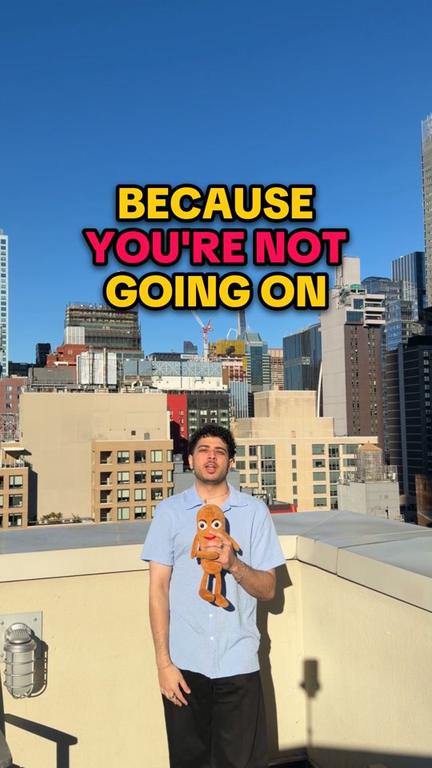
A still from the kit's Build in public test edit: Omar on a rooftop with big yellow and red hook text above his head.
Build in public
  1. Finds what to make.

    It looks for videos in your niche that did far better than their channel's normal, then writes a script from the idea in your own words and voice.

    You typeRun my day.
  2. Makes the video.

    It makes the voiceover for faceless videos, or cuts and captions the take you filmed, in a style you pick. Then it makes the cover and the caption.

    You typeMake me a faceless video about <topic> in the paper style.
  3. Gets it posted.

    It prepares the comment-keyword automation. On a Mac, it posts the videos you approve by name as Instagram trial reels.

    You typePost 1 and 3 as trial reels.

You stay in charge. Claude stops for your OK on which ideas to make and which videos go up.

Three styles ship with the kit. These are Omar's own videos, and the files are in the folder you download.

Paper (faceless)

A topic in. A finished faceless video out.

No camera. Block characters act out every line. This is one of Omar's posted reels, and its full project is in the kit, so you can build it yourself on day one.

You type (tutorial 04) Make a faceless video in the paper style about <your topic, in one sentence>. It is for <who should watch it>. Write the script with me first. Keep it under 30 seconds.
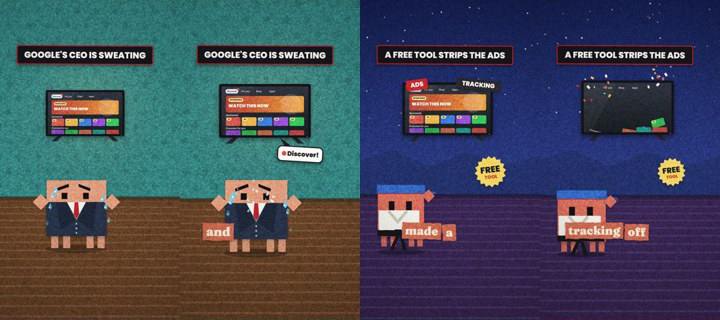
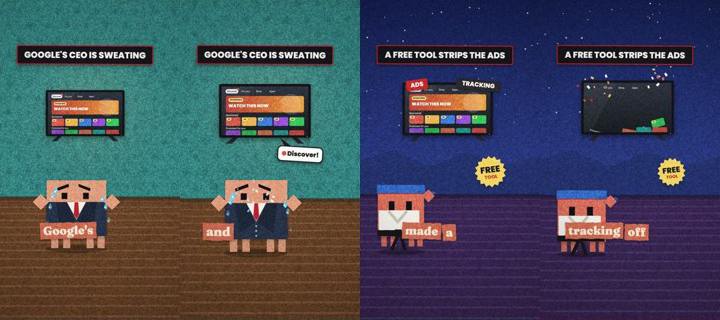
Four frames from the reel as Omar posted it: a worried boss character under the banner Google's CEO is sweating, then a night scene with the banner A free tool strips the ads.
Postedthe reel on his account
The same four frames rebuilt from the project files in the kit. They match the posted frames.
Rebuiltfrom the project files in the kit

Half-screen

You talk. The top half acts it out.

You film one take. Claude cuts it and builds a picture for every line.

You type (tutorial 03) Help me write a script for a half-screen video about <your topic, in one sentence>. It is for <who should watch it>. Keep it under 35 seconds, one short line per idea, and make every line something you could draw.
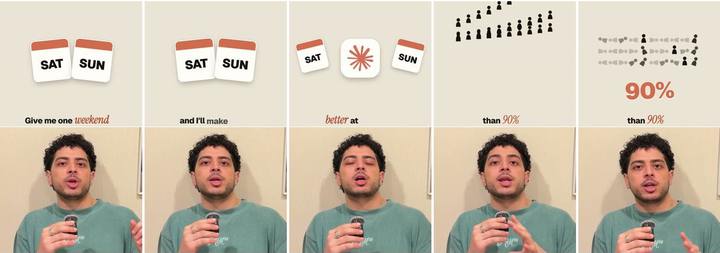
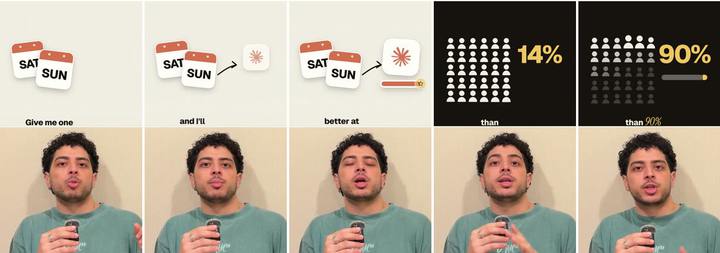
Five frames from the opening of the video as Omar posted it: calendar cards for Saturday and Sunday on top, Omar talking below.
Postedthe opening on his account
The same five moments rebuilt with the kit from his own take. The graphics are redrawn and the layout is the same.
Rebuiltwith the kit, from his own take

Build in public (face to camera)

One take in. One finished video out.

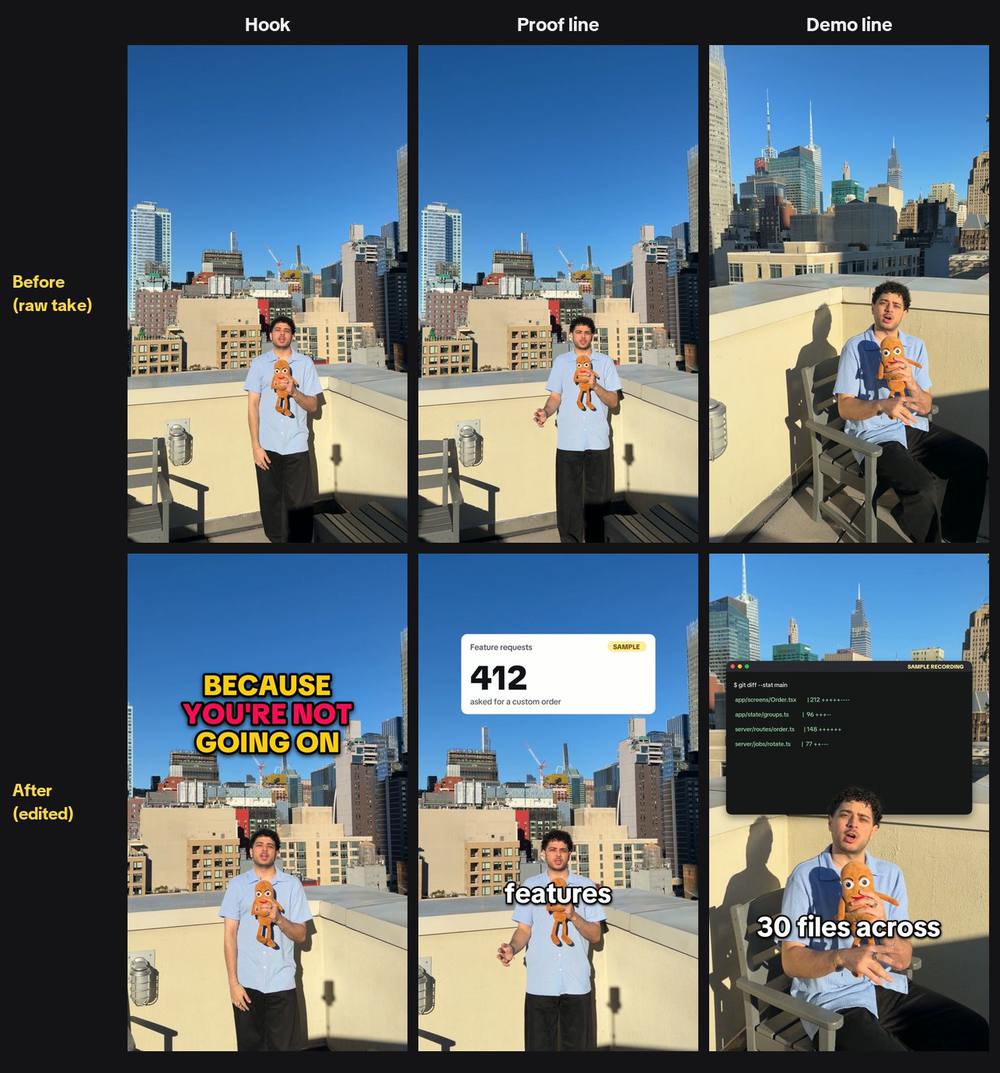
Claude cuts the dead space and retakes, adds the hook text and captions, and puts your proof on screen. Cards marked SAMPLE are stand-ins for your own screenshots.

You type (tutorial 05) Edit workspace/footage/<your file> in the build in public style. The comment keyword is LINK. I have no graphics and no music.
Six frames from the kit's test edit. Top row, the raw take: Omar on a rooftop for the hook, the proof line and the demo line. Bottom row, the same three moments edited: hook text above his head, a sample proof card, and a sample screen recording behind him, each with a one-line caption.
Before and afterthe raw take on top, the edit below. A still, because a face video needs your face.

They show the styles. They are not a promise of what your videos will do.

Dated facts about Omar's own account. He uses this workflow. They are his results, not a promise of yours.

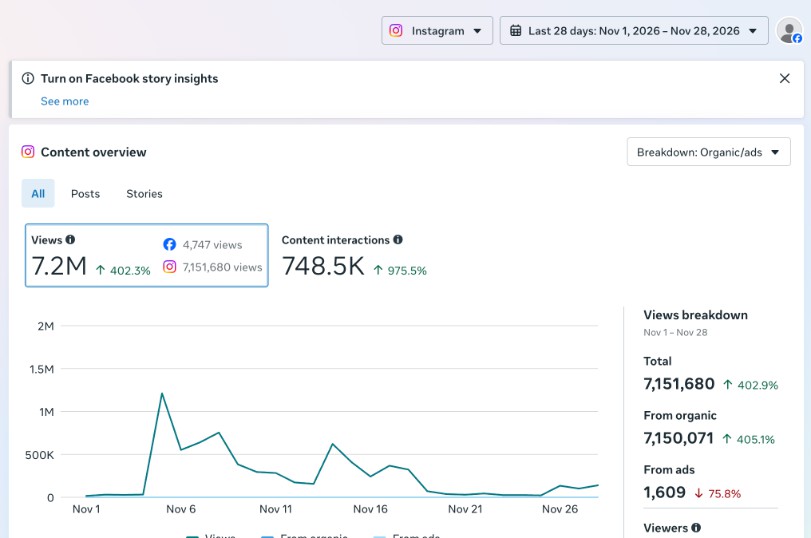
7.2M views on Instagram in 28 days

See the source Meta Business Suite, Instagram content overview for @omarontape, November 1 to 28, 2026: 7,151,680 views, of which 1,609 came from ads.
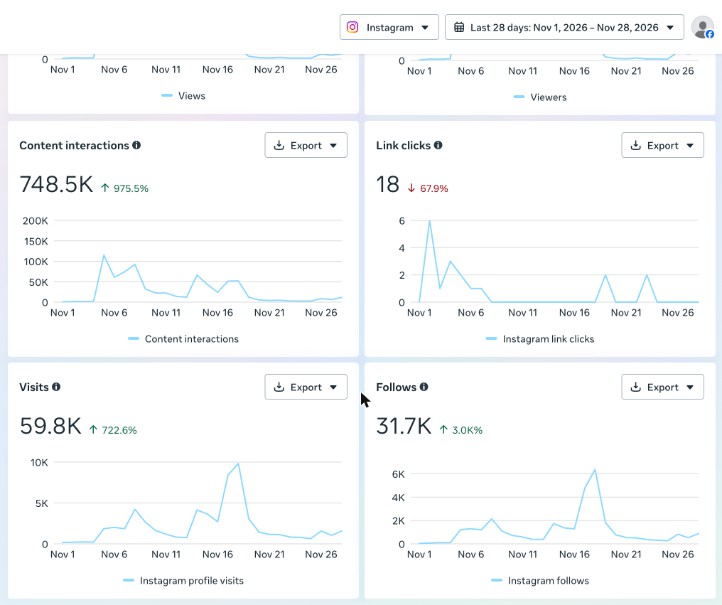
31.7K

new follows on @omarontape in the same 28 days

November 1 to 28, 2026

See the source Meta Business Suite, Instagram results for @omarontape, November 1 to 28, 2026: 31.7K follows, 59.8K profile visits, 748.5K content interactions.
112,965

comments on the 223 posts published in those 28 days

Counted through Instagram's API on November 29, 2026

See the source
PostedPostsComments
Nov 2459
Nov 317337
Nov 4102,178
Nov 5155,188
Nov 685,987
Nov 7156,891
Nov 8147,979
Nov 9232
Nov 10131,723
Nov 1113567
Nov 1210484
Nov 13161,729
Nov 141111,675
Nov 15152,224
Nov 16124,406
Nov 171444,624
Nov 1861,809
Nov 222520
Nov 24347
Nov 252251
Nov 2663,648
Nov 275334
Nov 281010,273
Total223112,965
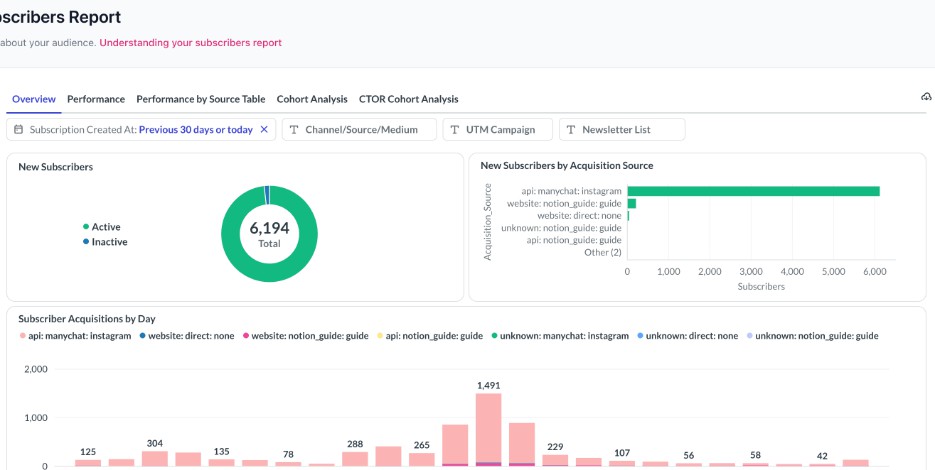
6,194

new newsletter subscribers since November 6, almost all through comment automation

The Founder's Manual, November 29, 2026

See the source beehiiv subscribers report for The Founder's Manual, previous 30 days: 6,194 new subscribers, nearly all from the source manychat / instagram, with the count per day since November 6, 2026.
240

trial reels posted in 30 days. That is Instagram's cap.

Counted through Instagram's API on November 29, 2026

See the source
Trial reels in the last 30 days: 240 of 240. Free now: 0
Next slot reopens: Mon Nov 30 04:22 AM

Real files, not mock-ups

  • 11 of Omar's finished videos are in the kit: 4 Paper reels and 7 Half-screen videos.
  • One posted Paper reel ships as a full project: the script, the voice and all 19 scenes. You can rebuild it on your own computer.
  • The kit checks itself. One command tests 35 things on your computer and makes two test videos before you start.
Screenshot 5, to captureClaude after "Run the check" on a set-up copy of the kit, with the result line READY in view. Crop to the Claude window, no desktop. Save as assets/img/check-ready.png and replace this box with an <img>.
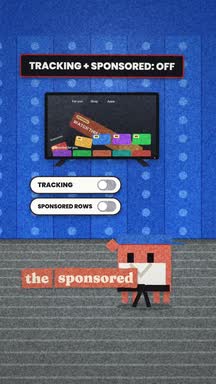
Paper reel: a TV with tracking switched off, a block character below.
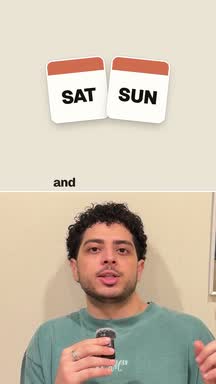
Half-screen video: calendar cards for Saturday and Sunday on top, Omar talking below.
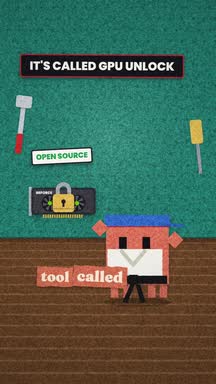
Paper reel: a padlocked graphics card and a block character with a blue cap.
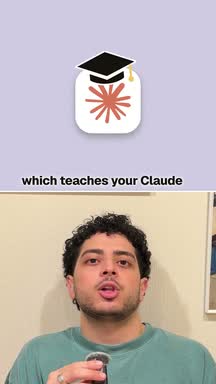
Half-screen video: an app icon wearing a graduation cap, Omar talking below.
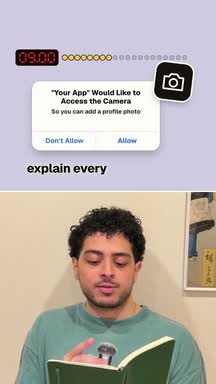
Half-screen video: a stopwatch, a progress row and a phone permission dialog.
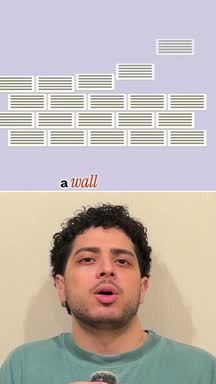
Half-screen video: a wall built from lines of text.
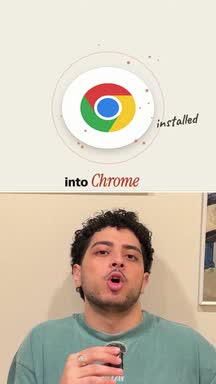
Half-screen video: a browser icon with the word installed.
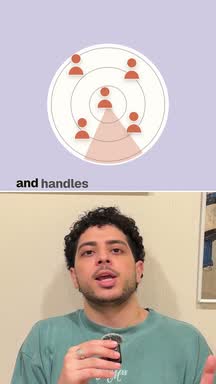
Half-screen video: a diagram of people in a circle.

Stills from eight of them: clean-your-tv.mp4 · one-weekend-plan.mp4 · gpu-unlock.mp4 · five-unknown-skills.mp4 · app-store-checklist.mp4 · animated-explainers.mp4 · comment-automation.mp4 · sales-closer.mp4

Views, followers and income depend on your content, your niche and the platforms. The kit gives you the capability. It cannot give you a result.

A folder of 391 files, about 127 MB zipped. It runs on your computer. There is no account to create and nothing to log in to.

The pipeline

  1. Outlier finder. Reads the public pages of 5 to 20 channels you choose and ranks the videos that beat their own channel's normal.
  2. Script writer. Three hook options, a beat plan and a script timed to length, in your voice. A "stranger test" checks each hook.
  3. Voiceover maker. For faceless videos, with your own voice-provider key.
  4. Cover and caption maker. A cover frame with a short title, and a caption that opens with your comment keyword.
  5. Comment-automation prep. The keyword, three public replies, the messages and the button labels on one sheet. Then Claude walks you through the clicks.
  6. Posting. A pre-post check, a queue and a log. On a Mac, Claude posts approved videos as trial reels.
  7. The daily run. One command, /machine, runs the day from ideas to finished videos and stops twice for your OK.

reel-machine/391 files

  • START_HERE.md+ 5 morethe three setup steps. Open this first.
  • skills/91 files15 skills: what teaches Claude each job
  • styles/151 filesPaper, Half-screen, Build in public
  • examples/100 filesOmar's finished videos and one full project
  • tutorials/10 filesnine guides and their index
  • setup/8 filesthe installer and the check
  • docs/4 fileshow the editing works, troubleshooting
  • workspace/21 filesyours: footage, edits, styles, notes, keys

Counted from the kit's zip, November 29, 2026.

Screenshot 6, to captureClaude after "Run my day", showing the outlier table (channel, video, views, times the channel's normal). Blur other channels' names. Crop to the Claude window. Save as assets/img/outlier-table.png and replace this box with an <img>.

The editing

  • Editor. Cuts dead space, ums and retakes. Adds word-timed captions and graphics. Exports a vertical video.
  • Sound finisher. Places sound effects, sets the music under the voice, sets the final loudness.
  • Motion graphics rules. So overlays look like part of the video.

Your own style

  • Style builder. Give it 3 to 5 reference reels. It measures them and writes a style Claude follows on every edit.
  • Style from a link. Paste 1 to 5 links. It saves a named style and shows a test edit of your footage.
  • Video breakdown. Paste a link. It writes down why the video works.
  • Notes that stick. Say "captions smaller" once. Claude saves it for every edit after.

Three ready-made styles

StyleWhat it isGood for
PaperFaceless. Block characters act out every line in a paper world, with the words on torn paper scraps.Explainers and stories with no camera
Half-screenGraphics on top that act out what is said. A person or footage on the bottom.Teaching something step by step
Build in publicFace to camera. Your take cut tight, big hook text, one-line captions, your proof on screen, a comment card at the end.Talking about what you are making or learning

Nine written tutorials

Each step is a prompt to paste, what Claude does, and what "worked" looks like.

  1. Your first video
  2. Teach Claude any editing style
  3. Half-screen videos
  4. Faceless paper videos
  5. Face videos
  6. The daily run
  7. Comment keyword automation
  8. A style from a link
  9. Claude posts for you

Some parts are built on free open-source tools: FFmpeg, the HyperFrames motion engine and three open-source skills, credited in the kit's licence file. What you pay for is the pipeline, the styles, the examples and the setup that ties it together. Omar's example videos are for learning. His voice, footage and music are not yours to reuse.

  1. Unzip the folder somewhere you will keep it.
  2. Open Claude in that folder. In the Claude desktop app, use the Code tab and pick the folder.
  3. Paste one message.
    The message
    Read setup/SETUP.md in this folder and set up the whole kit for me, step by step. Ask me before you install anything, and explain each step in plain words.

Claude looks at what your computer has, tells you what it wants to install, and waits for your OK. Then it installs, runs the check and makes a tiny test video to prove it works. Plan for 15 to 40 minutes. Most of it is waiting for downloads.

Screenshot 7, to captureThe Claude desktop app, Code tab, opened in the kit folder, with the setup message pasted in the box and not yet sent. Crop to the app window. Save as assets/img/setup-message.png and replace this box with an <img>.

You need

  • A paid Claude plan that includes Claude Code. The kit uses your plan's usage. A full video can use a good part of a day's allowance on smaller plans.
  • A Mac or a Windows PC with Node.js, FFmpeg and Python. All free. Setup installs what is missing, after asking you.
  • About 10 GB of free space and an internet connection.
  • For face videos: a phone or camera to film one vertical take.

Optional

  • A voice-provider key, only for AI voiceover. The kit is built for ElevenLabs, and it spends your own credits. Without a key you get a draft voice for timing, or you record your own.
  • ManyChat Pro, strongly recommended if you use comment automation. Free tiers limit contacts and keywords.
  • Sandcastles, for finding outliers. Not needed: the kit has its own free way. Omar recommends Sandcastles for your first month because it is the easiest start. That is his referral link, so he may earn a commission.

Limits

  • Auto-posting is Mac only. It needs Meta's Edits desktop app, signed in by you, and the Claude desktop app with computer use on. On Windows you post by hand from a checklist.
  • Instagram caps trial reels at 240 per 30 days, about 8 a day. Instagram can change that, and some accounts do not have trial reels.
  • It posts to Instagram only, as trial reels, and only the videos you name. Not TikTok. Not YouTube.
  • The posting steps come from Omar's own working setup. Meta moves buttons. If your screen looks different, Claude stops and shows you instead of guessing.
  • Free outlier finding reads YouTube Shorts channels reliably. TikTok works some days. For Instagram accounts you paste the view counts yourself.
  • Learning a style from a link works closely for talking-head styles. It is only approximate for animated styles: the rhythm and layout carry over, the drawings are new ones.
  • Claude cannot watch or listen. It checks its work with transcripts, measurements and still frames. Your eyes and ears are the final review.
  • Music is not included. You add tracks you have the right to use.
  • It is built for Claude Code. It has not been built or tested for other AI tools.
  • Tested on Mac. Not yet tested on a Windows PC. Windows is supported in the scripts but has had less testing; if it does not run, email me and I will help you get it working.

$67founding price,
until December 6, 2026

$97 after that date

One payment. No subscription. Updates included.

  • The full pipeline: ideas, scripts, voiceover, edit, cover, caption, comment-keyword prep, posting
  • Three styles, plus the tools to learn your own
  • 11 of Omar's finished videos and one full project
  • Nine written tutorials and a check that finds problems for you
Get Reel Machine, $67

The price goes up on December 6, 2026 and stays up. There is no countdown and no limited number of copies.

If it does not run on your computer

The kit has a built-in check. Type run the check and Claude tests your computer and tells you what to fix. If it still will not run, email omar@foundersmanual.ai with the check report file (workspace/check-report.txt) and I will help you get it working.

The check report lists your operating system, tool versions and what passed or failed. It holds no personal information and no keys.

Rebuilt from the kit

This one is not his posted file. It was rendered from the project that ships in the folder.

Is this a course?

No. It is a folder of files that Claude uses to do the work. There are nine short written tutorials, and each step is a prompt you paste. There are no video lessons, no community and nothing to log in to.

Do I need to code?

No. You paste prompts and Claude runs the commands. You will see permission pop-ups, and you can read each one before you allow it. Once or twice you may need to do a small thing yourself, like typing your computer password into an installer.

Will it post for me?

On a Mac, yes. Claude posts the videos you approve by name as Instagram trial reels, through the Edits app, and stops at the first problem. "Post 1 and 3" posts videos 1 and 3. "Looks good" posts nothing. It does not post to TikTok or YouTube, and it does not post from Windows. There you get a posting checklist.

Does it work on Windows?

Windows is supported in the scripts but has had less testing; if it does not run, email me and I will help you get it working. The kit has been tested on Mac and not yet on a Windows PC. Auto-posting is Mac only.

What does it cost to run?

Your Claude plan is the main cost, and the kit uses that plan's usage. If you want an AI voiceover, a voice provider charges for its credits. If you use comment automation, ManyChat Pro is strongly recommended. Everything else the kit installs is free. Check each provider's current prices yourself.

Can I use my own style?

Yes. Give Claude 3 to 5 reference reels, or paste 1 to 5 links, and it saves a style it follows from then on. Talking-head styles copy closely. Animated styles come out approximate. Every note you give is saved, so you only say it once.

Is this just prompts?

No. The prompts are the part you see. Behind them are 15 skills with their own scripts: tools that cut footage, time captions, measure loudness, check that text stays clear of the app's buttons, and hold the posting queue. Plus three style engines, an installer and a check.

Will this get me views or followers?

Nobody can promise that, and this page does not. The kit makes finished videos and prepares the posts. What they do depends on your ideas, your niche and the platforms.

Is it safe for my Instagram account and my keys?

Claude never logs in to anything and never asks for a password or a key in the chat. You sign in to your own apps yourself. Keys live in one file on your computer that Claude does not read. The kit has no server and collects nothing. It is still your account, and Instagram's rules apply to what you post.

What is not included?

Music, a voice you can post with, and logos or screenshots for your own videos. A Claude plan is not included either.